●
FREE VIDEO CONVERTER AND AUDIO NORMALISER
FIX ANY VIDEO.
IN ONE CLICK.
Drop in any video. Get back a clean MP4 that plays anywhere and sounds even — codecs fixed, loudness levelled, broadcast-ready. No settings to learn, nothing to install, and your files never leave your machine.
SEE IT IN ACTION
MESSY VIDEO IN.
CLEAN MP4 OUT.
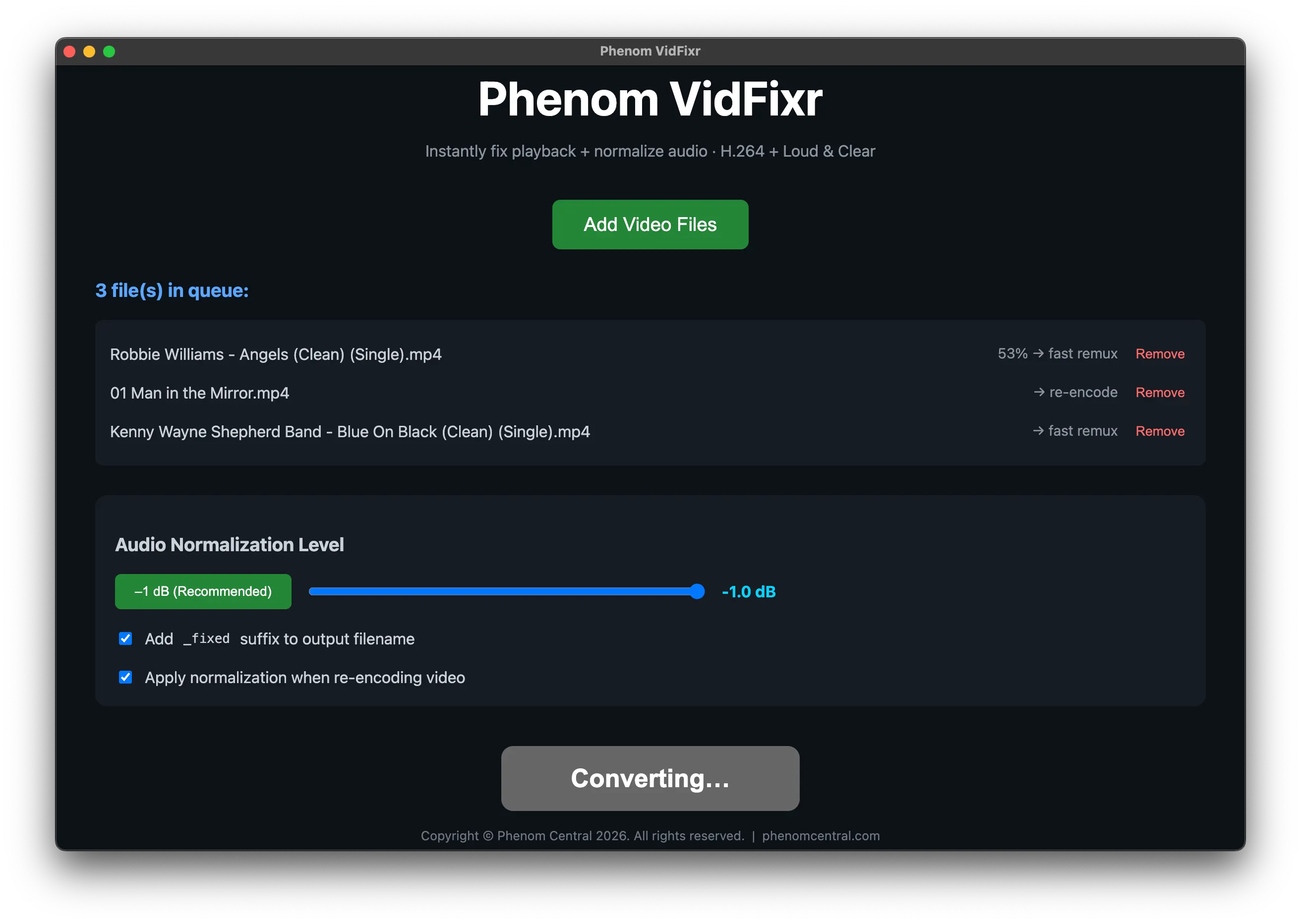
Watch a mixed batch of clips become consistent, broadcast-ready files in a single pass.
The video headache
IT PLAYS ON ONE
DEVICE AND REFUSES
ON THE NEXT.
Footage comes in every codec under the sun — H.265, ProRes, VP9 — and stalls in your editor or gets rejected on upload. Volume jumps between clips. Online converters want your files uploaded; Handbrake and Adobe want an afternoon. You just want a file that plays everywhere and sounds even.
✕
Codec roulette — H.265/ProRes/VP9 files that won't play, won't upload, or stall mid-edit.
✕
Volume all over the place — a quiet talking-head next to a loud screen-grab, played back to back.
✕
Uploading private footage — online converters that take your files (and add watermarks or ads).
✕
Fiddly pro tools — Handbrake settings and Adobe steps just to export a plain, safe MP4.
Meet VidFixr
ONE CLICK.
BROADCAST-READY.
VidFixr detects each file, copies H.264 video losslessly or re-encodes the rest to H.264, levels the loudness to the broadcast standard, and writes a clean MP4 — all on your own machine.
What it does
TWO REAL
PROBLEMS, FIXED
AUTOMATICALLY.
SMART CODEC DETECTION
KNOWS WHAT EACH FILE NEEDS
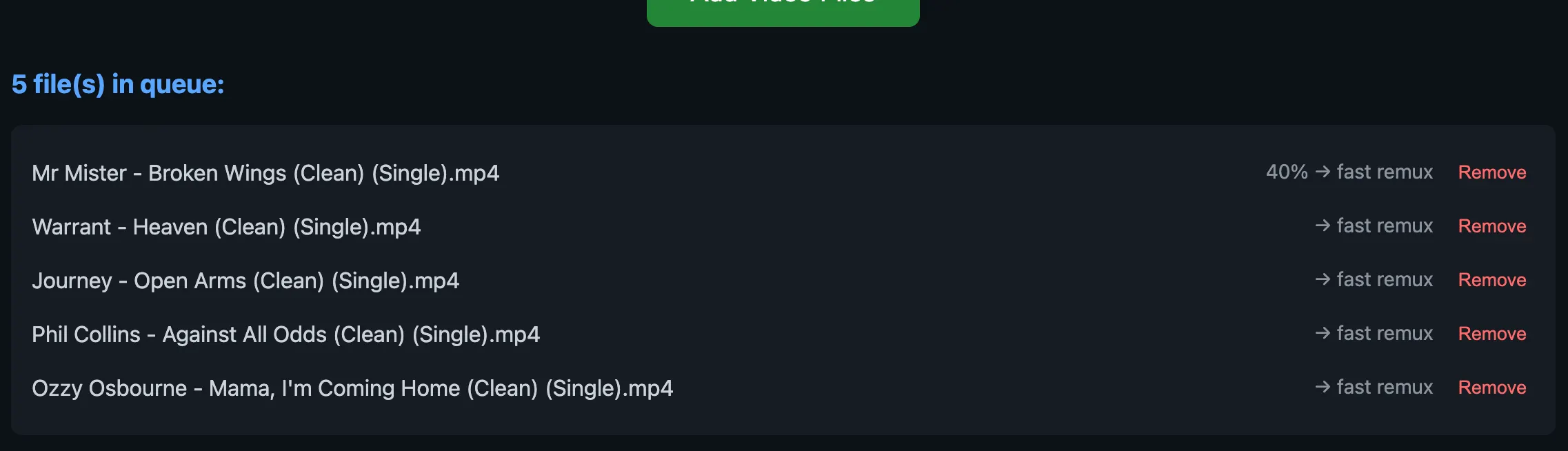
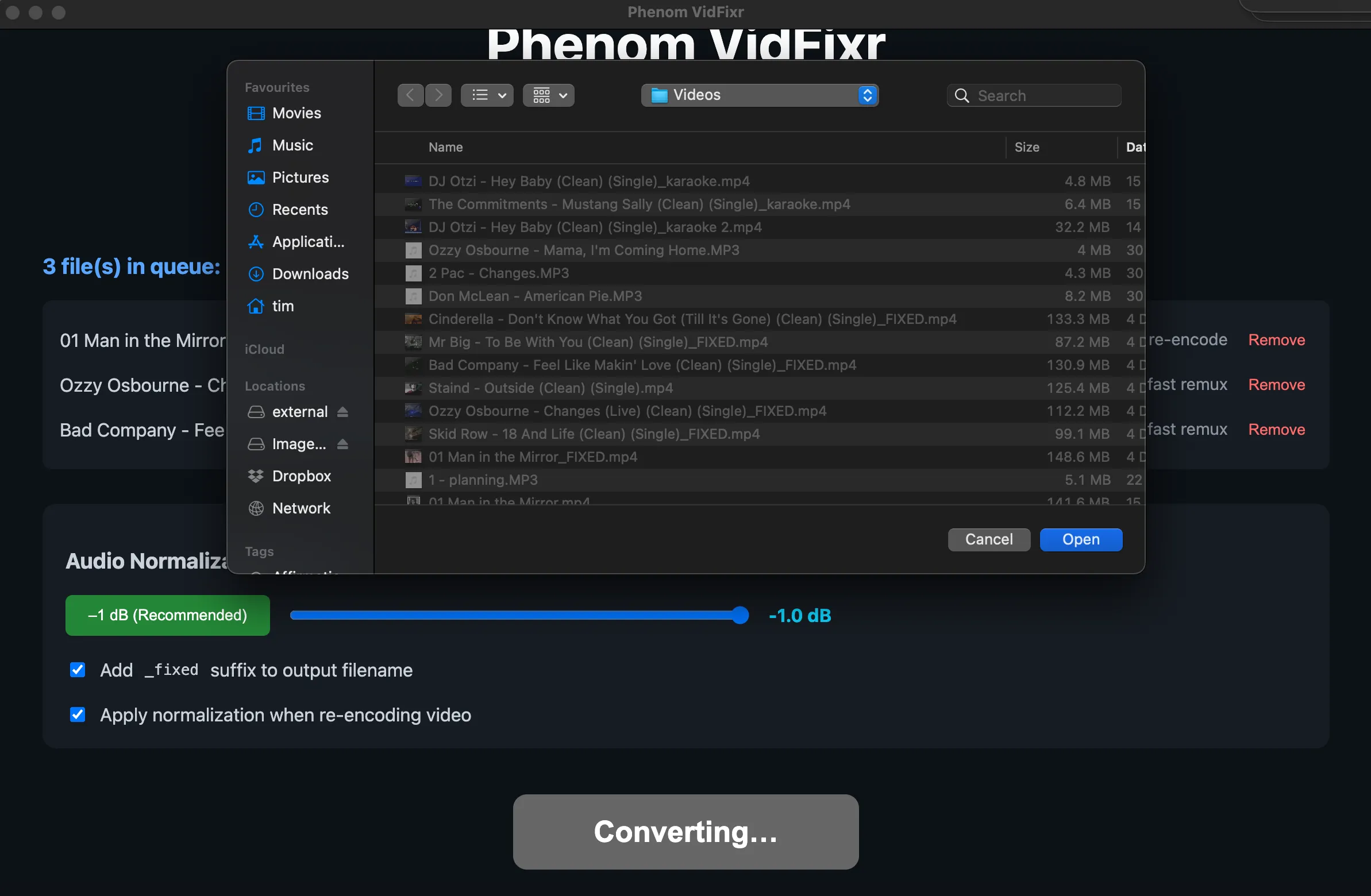
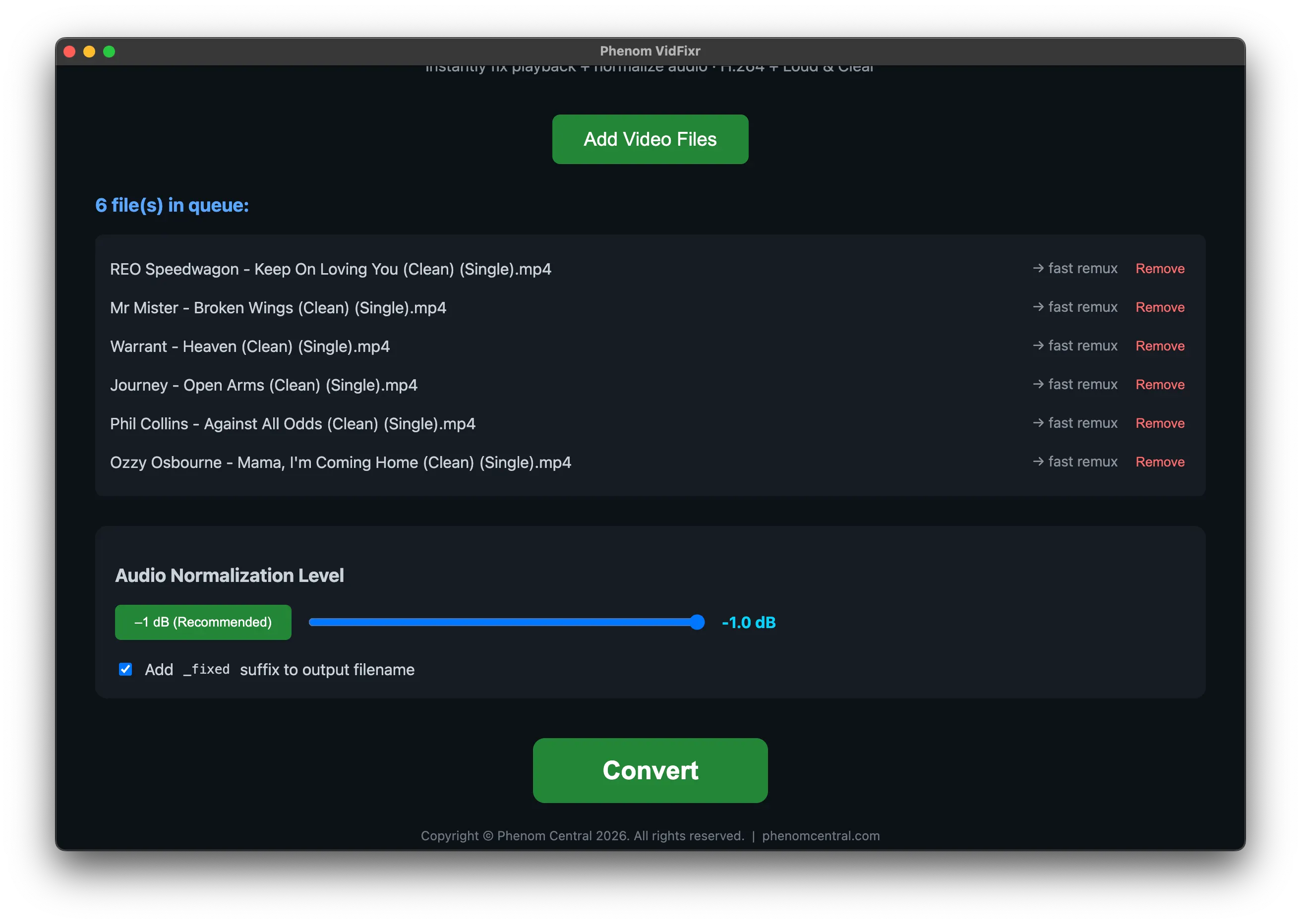
VidFixr checks every file's codec the moment you add it and tells you upfront — "→ fast remux" for files already in H.264 (copied byte-for-byte, instant, zero quality loss) or "→ re-encode" for everything else (converted to H.264 at the CRF 23 sweet spot). No surprises, no wasted time.

LOUDNESS
BROADCAST-STANDARD VOLUME,
EVERY TIME.
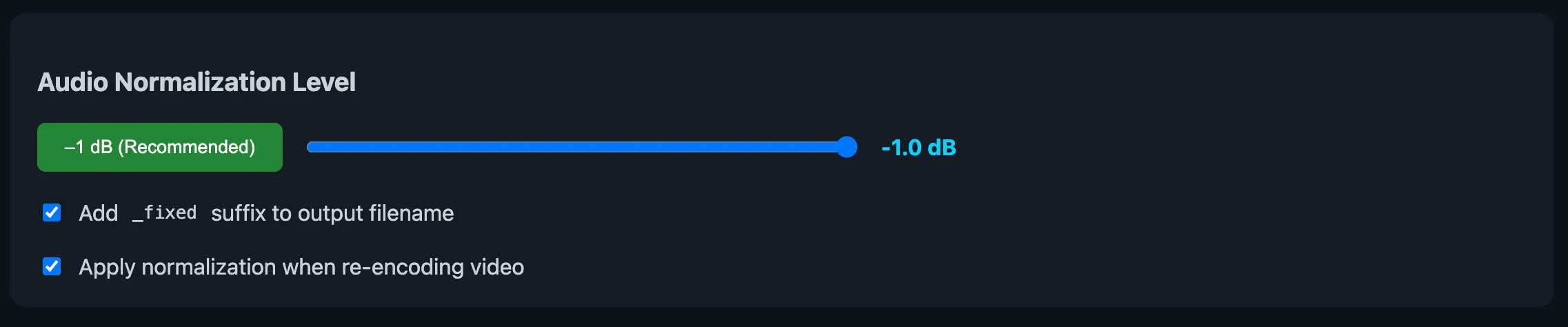
VidFixr applies EBU R128 loudness normalisation — the same standard YouTube, Spotify and Netflix use — targeting −16 LUFS with true-peak limiting so clips play back at an even, professional level. No more riding the volume between videos.
LOUDNESS
BROADCAST-STANDARD VOLUME,
EVERY TIME.
VidFixr applies EBU R128 loudness normalisation — the same standard YouTube, Spotify and Netflix use — targeting −16 LUFS with true-peak limiting so clips play back at an even, professional level. No more riding the volume between videos.
BATCH & SAFETY
A WHOLE FOLDER, ONE PASS
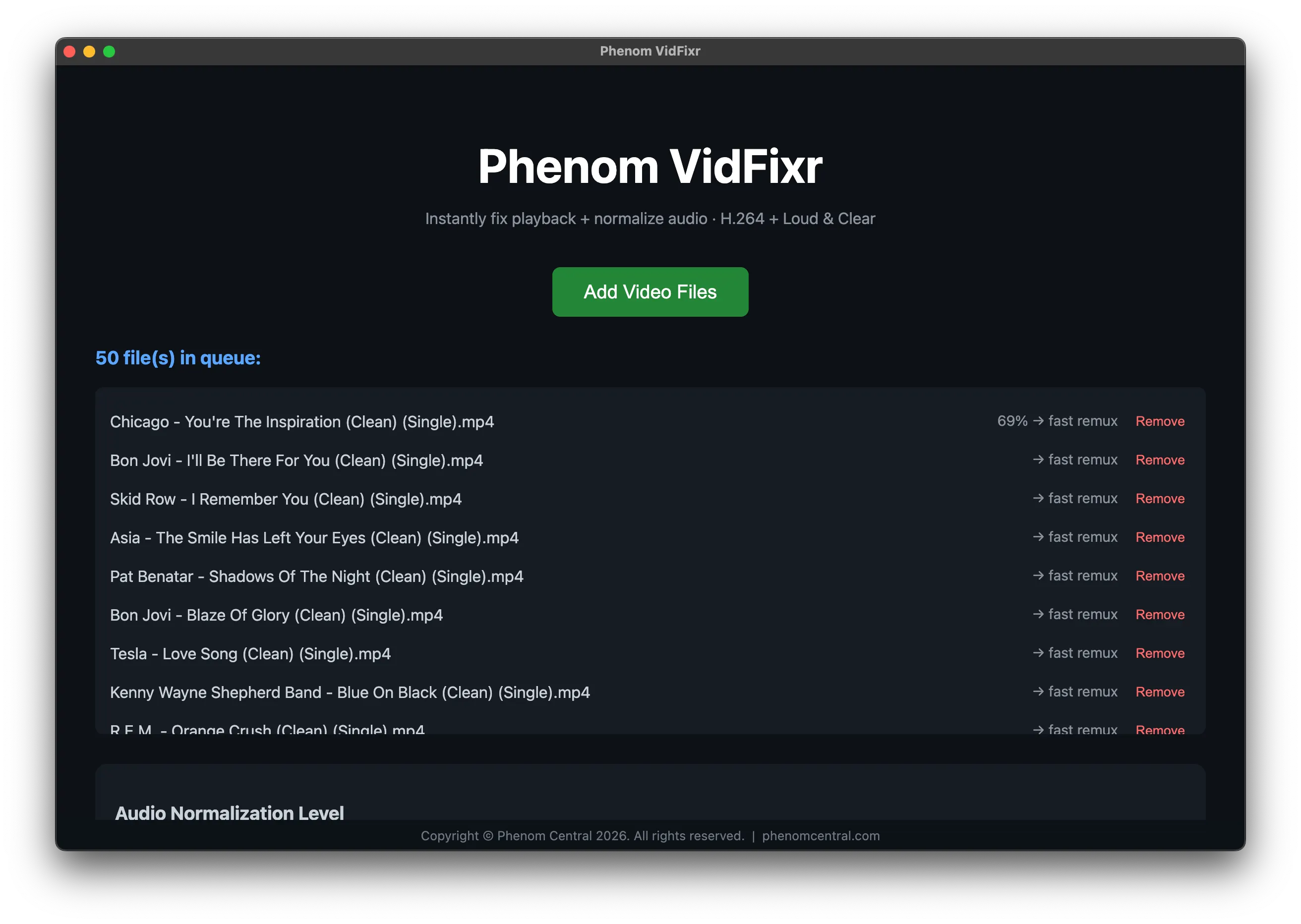
Queue up as many files as you like and VidFixr works through them one by one with live per-file progress. If one file is corrupt, it asks to skip and keep going — your queue is never silently abandoned. Originals are never touched; output goes to a folder you choose.
UNIVERSALLY PLAYABLE
ALWAYS AN MP4 — THAT STREAMS
Every file comes out as an H.264 MP4 with the faststart flag set, so it plays on every browser, device and platform and starts streaming before it's fully downloaded. Original metadata (dates, GPS, camera info) is preserved.
UNIVERSALLY PLAYABLE
ALWAYS AN MP4 — THAT STREAMS
Every file comes out as an H.264 MP4 with the faststart flag set, so it plays on every browser, device and platform and starts streaming before it's fully downloaded. Original metadata (dates, GPS, camera info) is preserved.
PRIVATE & ZERO-SETUP
NOTHING TO INSTALL. NOTHING UPLOADED.
FFmpeg is bundled inside the app, so there's no install, no codecs, no technical setup. Everything runs locally — your footage never leaves your computer, which matters when it's a client's or confidential.
FOR MUSIC BINGO HOSTS
LEVEL YOUR WHOLE PHENOM BINGO PLAYLIST
Running music bingo? Level your whole playlist before the night. VidFixr brings every clip to the same broadcast volume and recodes it to a clean, universally-playable MP4 — so a quiet classic and a modern banger hit the room at the same level, no fader-riding mid-game. Batch the folder in one pass, then point Phenom Bingo at the fixed files
FOR MUSIC BINGO HOSTS
LEVEL YOUR WHOLE PHENOM BINGO PLAYLIST
Running music bingo? Level your whole playlist before the night. VidFixr brings every clip to the same broadcast volume and recodes it to a clean, universally-playable MP4 — so a quiet classic and a modern banger hit the room at the same level, no fader-riding mid-game. Batch the folder in one pass, then point Phenom Bingo at the fixed files
Three steps
FROM MESS TO MP4
IN SECONDS.
1
ADD
Drop in your videos. VidFixr flags which will fast-remux and which need a re-encode.
2
FIX
One click. Codecs and loudness handled automatically with broadcast settings.
3
DONE
Clean, even, universally-playable MP4s in your chosen folder — originals untouched.
Under the hood
PRO ENGINEERING,
NONE OF THE FUSS.
-
Smart per-file codec detection
-
H.264 re-encode at CRF 23
-
Adjustable true-peak ceiling (−1 to −20 dB
-
Batch queue, sequential processing
-
Error handling with skip option
-
Separate output folder (originals safe)
-
Metadata preserved (date, GPS, camera)
-
FFmpeg bundled — zero setup
-
Windows installer + portable build
How it compares
FASTER THAN THE
TOOLS YOU'D REACH
FOR.
| Feature | Phenom VidFixr | Handbrake | Online converters | Adobe Media Encoder |
|---|---|---|---|---|
| H.264 conversion | ✓ | ✓ | ✓ | ✓ |
| Skips re-encode when already H.264 | ✓ | — | — | — |
| EBU R128 loudness normalisation | ✓ | — | — | Extra steps |
| Batch queue | ✓ | ✓ | Limited | ✓ |
| No file upload (100% local) | ✓ | ✓ | — | ✓ |
| No subscription | ✓ | Free | Free (ads) | Subscription |
| Zero setup (FFmpeg bundled) | ✓ | ✓ | N/A | ✓ |
| One-click operation | ✓ | — | — | — |
Comparison as at June 2026.
PRICING
FREE FOR A
LIMITED TIME.
VidFixr is completely free to download and use right now. No payment, no account — grab it while the offer lasts.
LIMITED TIME
PHENOM VIDFIXR
Free download · no card required
Free
right now
Good to know
QUESTIONS,
ANSWERED.
No. VidFixr runs entirely on your computer — your footage never leaves your machine.
Get Phenom VidFixr — free
DOWNLOAD VIDFIXR
FREE.
Native apps for Windows and macOS — free for a limited time. Install and start fixing video in minutes.
● ● ● ● ●
FIX IT ONCE. PLAY IT ANYWHERE.
Stop fighting codecs and volume. Download VidFixr free and turn any video into a clean, broadcast-ready MP4 in one click.