●
Turn any playlist into a deck of unique, print-ready music bingo cards, with song titles instead of numbers. Click a playlist in Spotify, paste a YouTube link or type the songs in. Pick a grid, generate, and print two cards to a page in your own fonts and colours, in any language. No spreadsheets, no duplicate cards.
For Mac & Windows · One-time purchase · v4.0.0
Typing the song list into a spreadsheet. Shuffling it into grids. Checking no two cards match. Fighting Word to fit two on a page. Then doing it all again for next week's playlist.
Click a Spotify playlist, paste a YouTube link, load a text file or type the songs in.
Click a Spotify playlist, paste a YouTube link, load a text file or type the songs in.
Pick a card theme, preview the first card for free, then export a PDF with two cards to a page and a cut line down the middle.
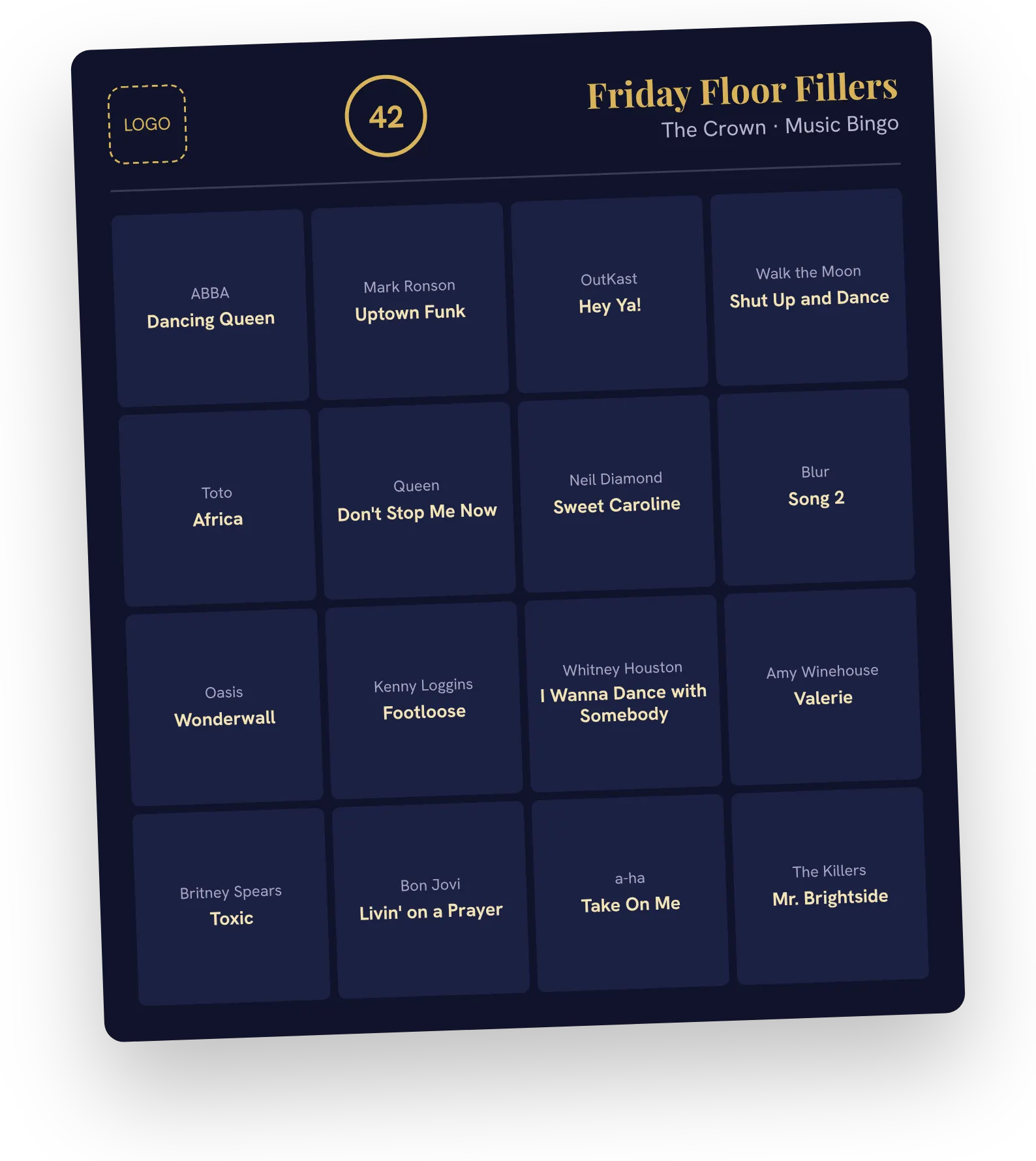
Give the printed cards a look of their own: fonts from your computer, sizes and colours for the artist and the title, square and card backgrounds with their own see-through setting, a background picture, a free space that's a picture, a word or a star, and a logo for each theme.
A live preview shows two sample cards (one easy, one deliberately awkward) or the first two cards of your own playlist. If a colour would be hard to read, the editor says so before you print.
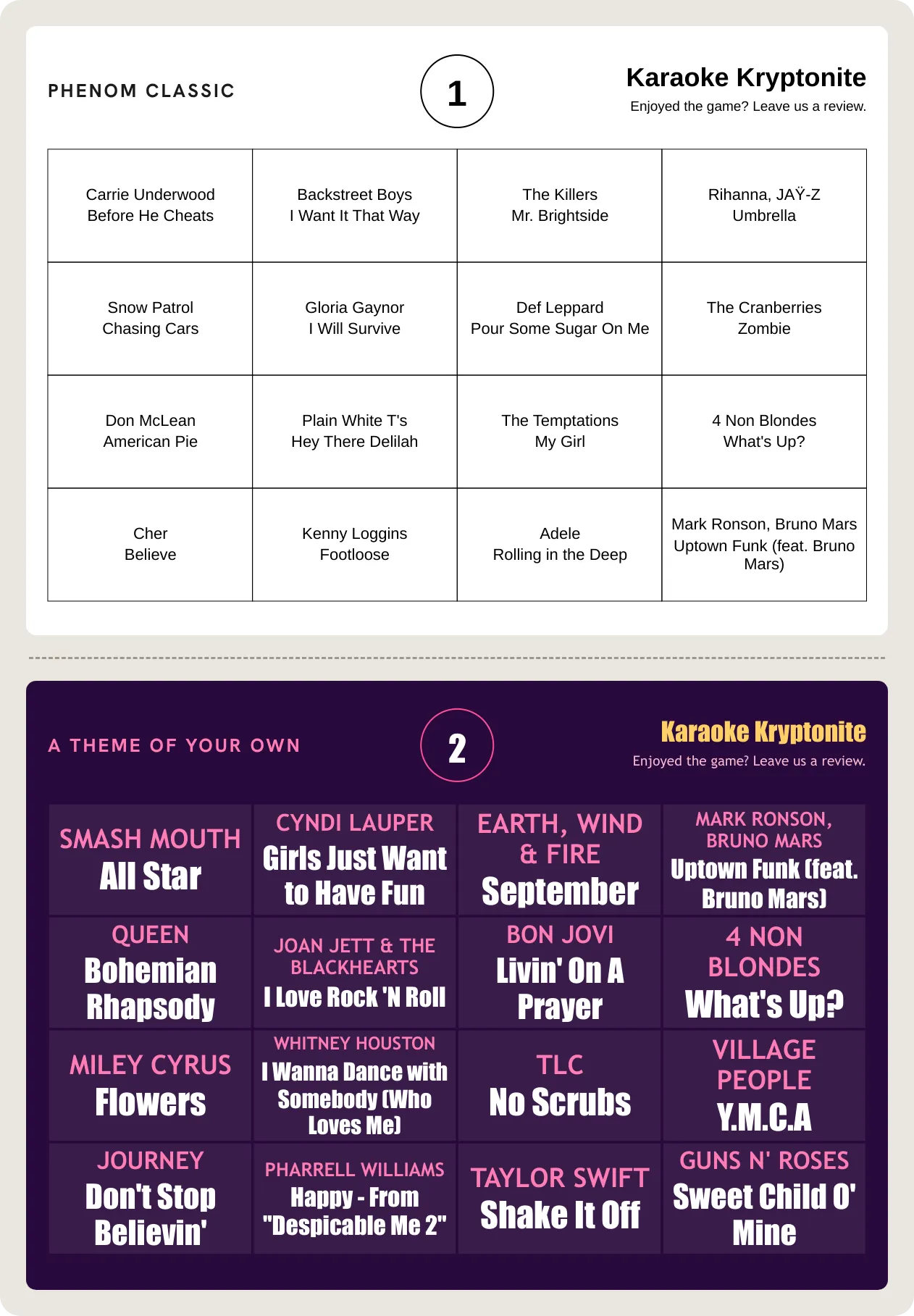
Five designer themes come ready to use: Midnight Gold, Neon Plum, Retro Diner, Fresh Mint and Newsprint. Duplicate one and make it yours. Or leave it all alone, and your cards print in Phenom Classic, the clean black card they've always been.
Export a theme as a file to use it on another computer. The same file brings your look into Phenom Bingo Lite.
Card Theme Library
Browse the Phenom Card Theme Library and download any theme for free. Import it into the Card Generator and print with it straight away, or change the fonts, colours and pictures until it's yours.
Pick any theme from the library. Every one is free.
Open Card Themes and click Import. It arrives as a new theme in your list.
Click Set as default and print it as it comes, or edit it like any theme of your own.
Works across the kit. The same theme file imports into Phenom Bingo Lite, so players' phones can match your printed cards.
Browse the Card Theme LibraryK-pop night, Latin night, Bollywood night. Chinese, Japanese, Korean, Arabic, Hebrew, Thai, emoji, and more all print, using the fonts already on your computer. If a song needs a font you don't have, the export names the song and a free font to install before you save.
Long artists and titles shrink to fit their square, never below 7pt. Switch on Max font size and every square's text grows to fill it. If a song still can't fit, you're told which one before anything prints.
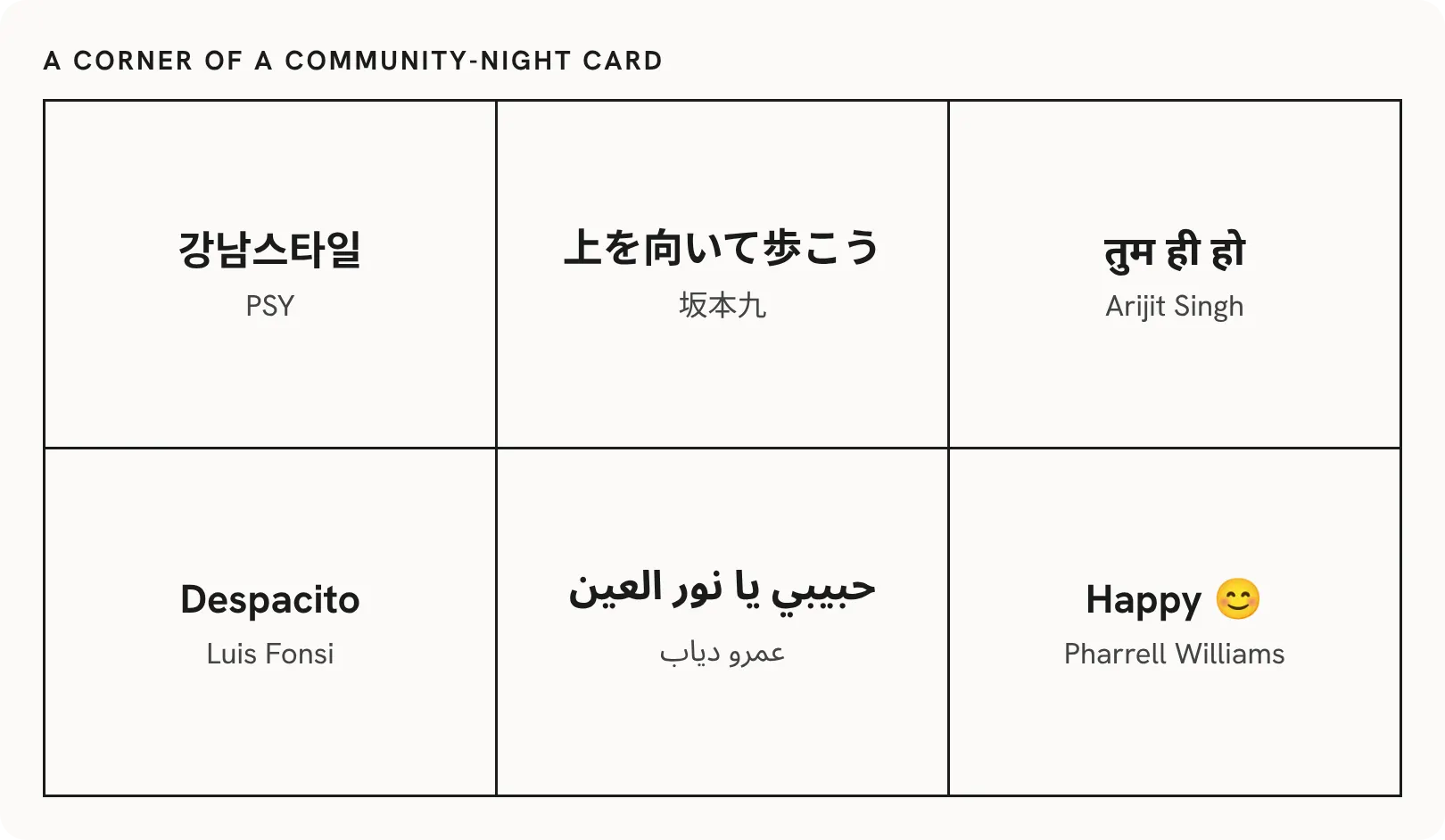
K-pop night, Latin night, Bollywood night. Chinese, Japanese, Korean, Arabic, Hebrew, Thai, emoji, and more all print, using the fonts already on your computer. If a song needs a font you don't have, the export names the song and a free font to install before you save.
Long artists and titles shrink to fit their square, never below 7pt. Switch on Max font size and every square's text grows to fill it. If a song still can't fit, you're told which one before anything prints.
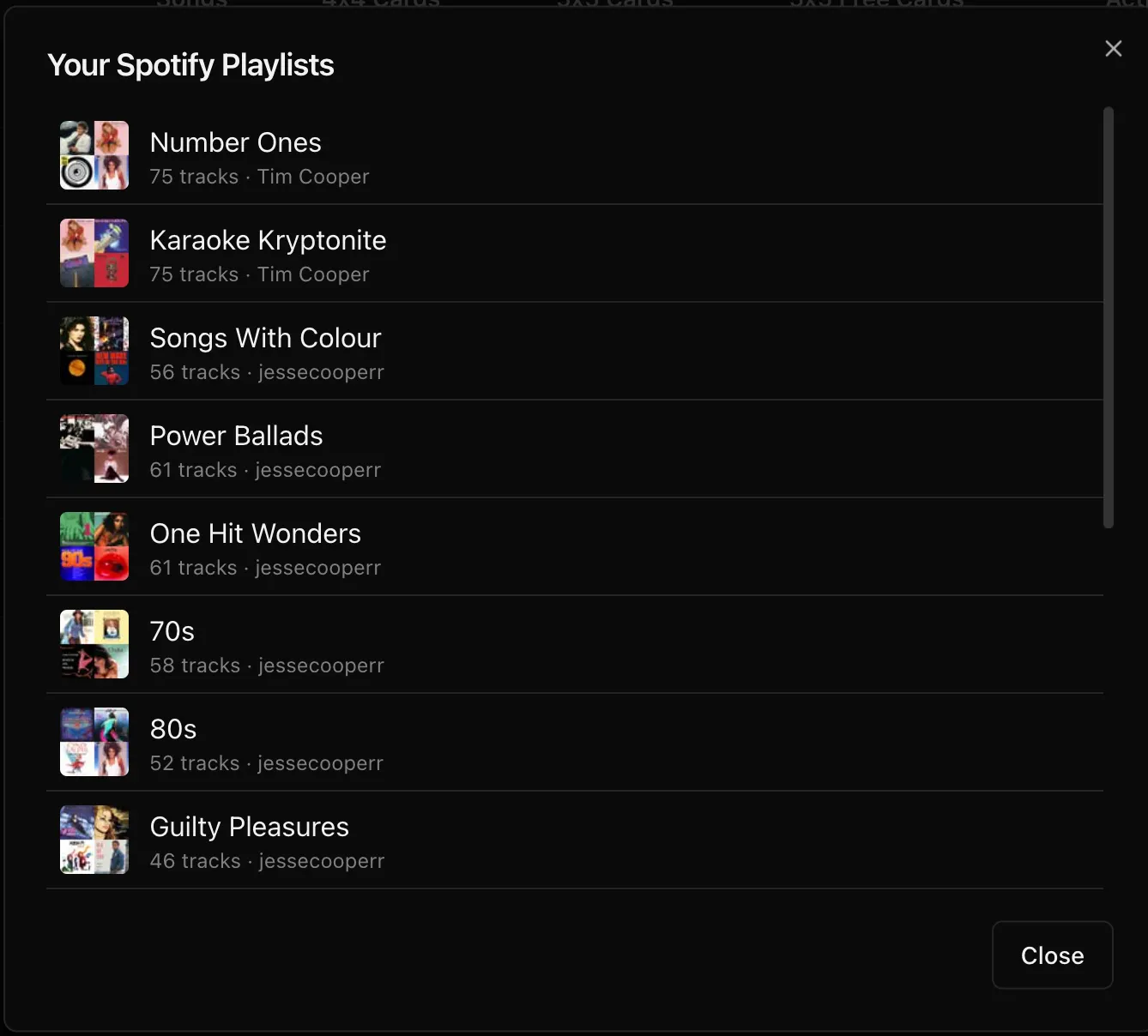
Connect your Spotify account once and your playlists appear with their cover art, owner and track count. Click one and every track comes in, with all its artists. Local files and podcast episodes are skipped for you, and the connection stays signed in for next time.
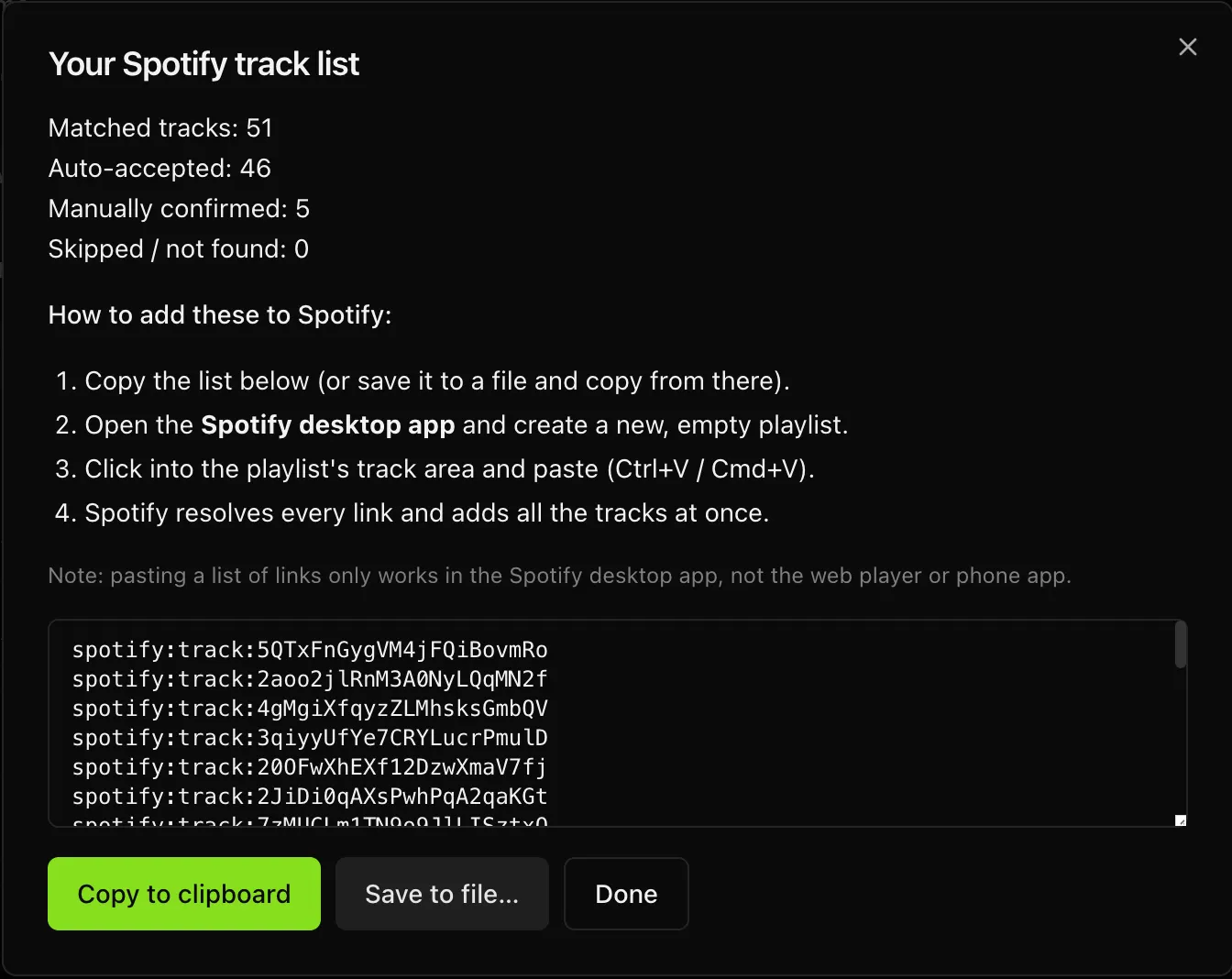
Built your list from a text file or YouTube? The app finds every song on Spotify, accepts the confident matches and asks you about the rest, with a 30-second preview of each. Copy the result, paste it into an empty playlist in the Spotify desktop app, and every song lands at once.
Built your list from a text file or YouTube? The app finds every song on Spotify, accepts the confident matches and asks you about the rest, with a 30-second preview of each. Copy the result, paste it into an empty playlist in the Spotify desktop app, and every song lands at once.
Paste a public YouTube playlist link. Each video title is split into artist and title, tags like "(Official Video)" come off, and where a title doesn't follow the pattern, the channel name stands in as the artist.
Type songs in one at a time, or import a text file with one song per line as Title - Artist (for example, Bohemian Rhapsody - Queen). No account, no setup. Spotify and YouTube are there when you want them, not before.
Songs are split into one group per column and each group is shuffled for every card. So every column gets its fair share of the playlist, and no two cards are the same.
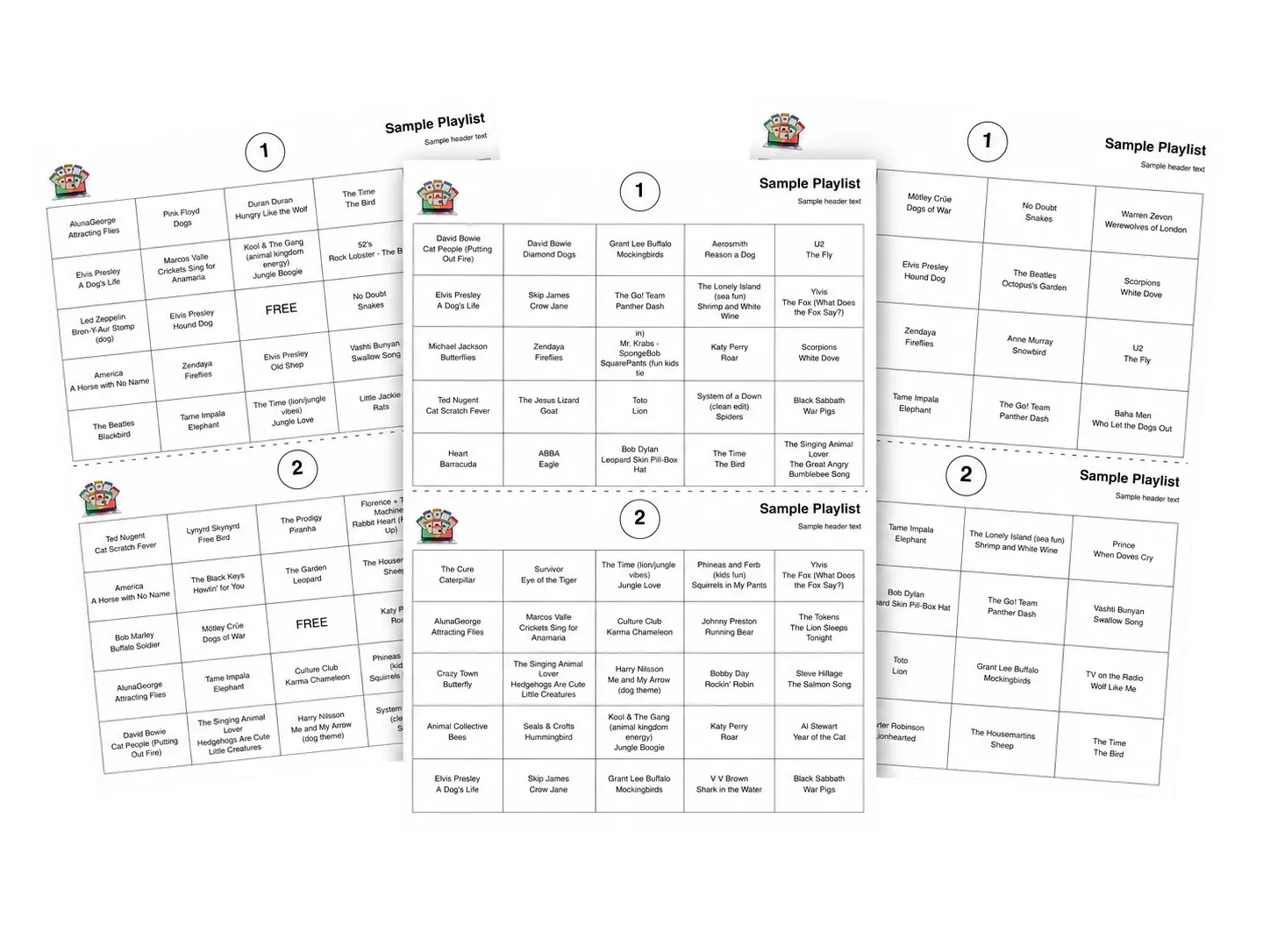
Two cards to a page on A4 or US Letter, a dashed cut line down the middle, and an optional song list on the last page for the caller. Preview the first card for free before you export.
And when something's wrong, it says so. A missing logo or picture is named before you print, a failed export never overwrites your last good PDF, and a trial export is only used once the PDF actually exists.
Set a start time for every song, in minutes and seconds, so the room hears the bit they know instead of a long intro. Phenom Bingo Lite, our Spotify host console now in beta, reads your Spotify-imported playlists straight from this app and starts each song on the hook you set. Got the tracks as files? Phenom Song Analyser suggests up to three start points for each one.
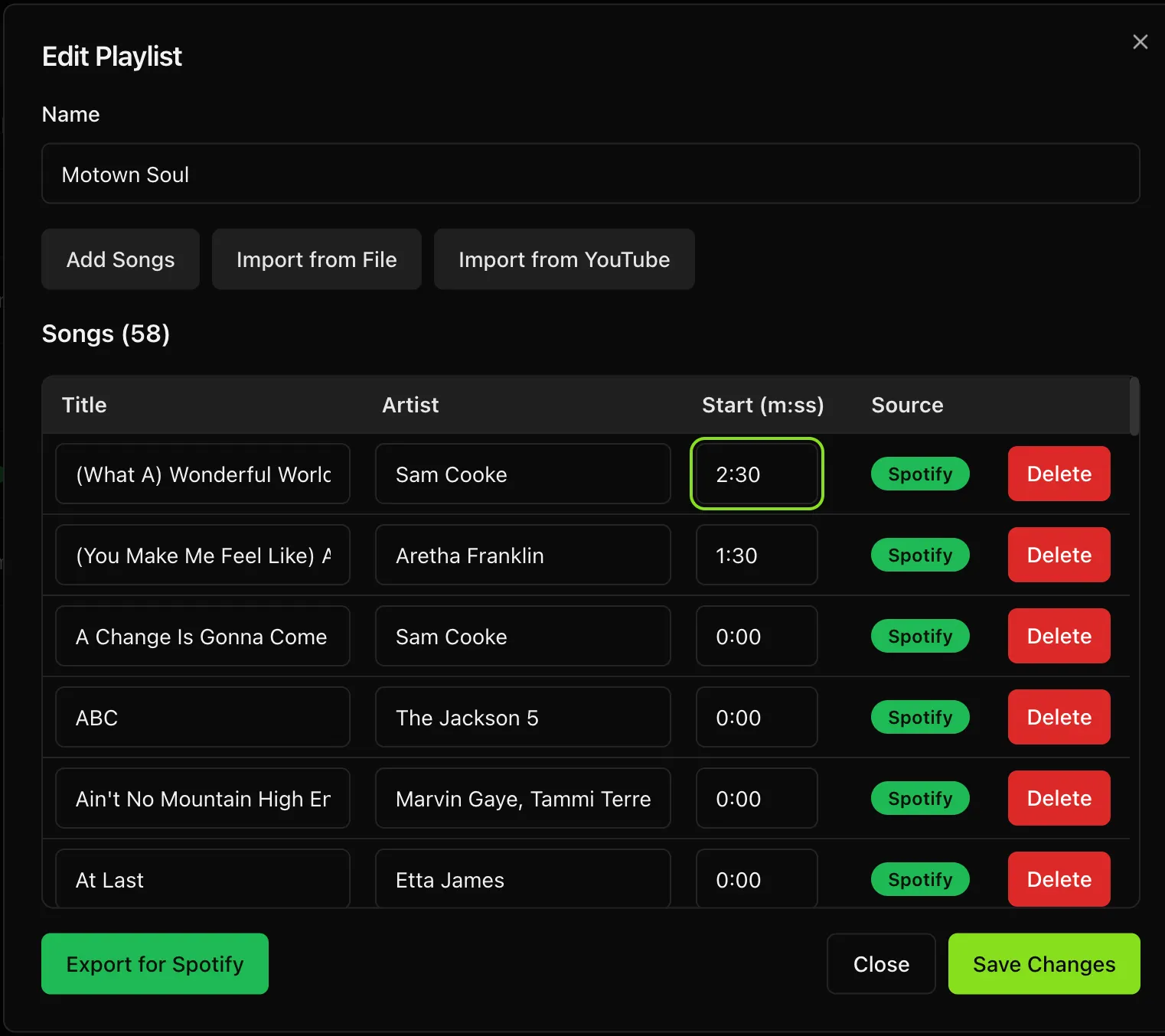
Set a start time for every song, in minutes and seconds, so the room hears the bit they know instead of a long intro. Phenom Bingo Lite, our Spotify host console now in beta, reads your Spotify-imported playlists straight from this app and starts each song on the hook you set. Got the tracks as files? Phenom Song Analyser suggests up to three start points for each one.
Add your logo, a line of header text (the event, the date, a sponsor) and a picture for the free space, and they print on every card. A theme can carry its own logo instead: a light version for a dark card, or the venue's for their night.
Your playlists live on your computer. Share one with a co-host as a ZIP, or back up the whole library to one file and restore it on a clean restart, with your old data kept as an undo. The User Guide is built in and works offline too.
Every feature, no signup, no card. The trial makes up to 8 cards per playlist and 10 PDF exports, which is enough to print real cards and run a test game. Preview is always free. A licence removes the limits.
A free Spotify developer app (a Client ID and Client Secret, entered once in Settings) and your Spotify account connected.
[CONFIRM: Spotify Premium on the developer app's owner account.]
A free YouTube Data API key from Google Cloud, entered once in Settings.
Nothing at all. Install and start typing.
| By hand | The app | |
|---|---|---|
| Getting the songs in | Typed into a spreadsheet | Click a playlist |
| Unique cards | Checked by eye | Guaranteed |
| Print layout | Wrestled into Word | Two per page, cut line |
| Your own fonts and colours | Card by card in Word or Canva | One theme, every card |
| Songs in other languages | Boxes and missing characters | Prints as written, with emoji |
| Grid sizes | Whatever you build | 4x4, 5x5, 5x5 Free |
| Next week | Start again | Generate a fresh set |
One payment, no subscription. Activate once on your computer and it checks itself offline from then on, so a venue with no internet is no problem.
ONE-TIME PURCHASE
AUD
About US$27 · no subscription · per-device license
Unlimited playlists & cards
Spotify, YouTube, text & manual import
4x4, 5x5 & 5x5 Free grids
Two-per-page print-ready PDF + song list
Card Themes, with five designer themes
Any language and emoji
Works offline · activates on-device
Prices in AUD; the US figure is approximate and varies with the exchange rate.
Download the app, then unlock it with your license key.
Import once, generate unique cards, print a clean PDF — and skip the spreadsheet forever.