●
Stop scrubbing through tracks by ear. Phenom Song Analyser listens to your whole playlist and pinpoints the highest-energy, most recognisable moment of every song. Pick from up to three options, then write the start times straight back into Phenom Bingo.
For Mac & Windows · A companion to Phenom Bingo · One-time purchase
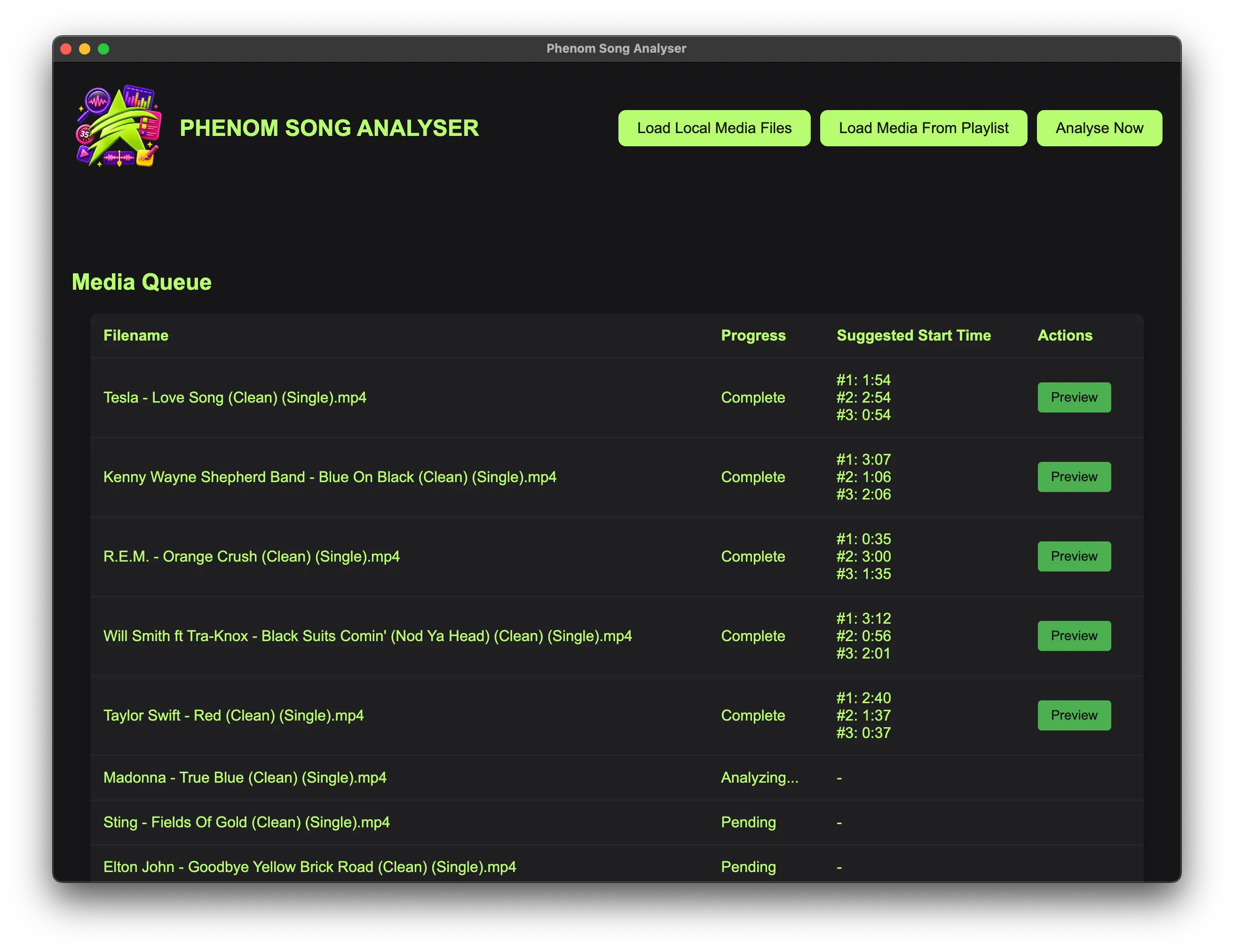
A Music Bingo night can mean a library of dozens — sometimes hundreds — of songs. Every one needs a clip that starts on the recognisable, high-energy moment, lands on the chorus and not a quiet intro, and runs long enough for players to name it. Doing that by hand is slow and inconsistent: finding the sweet spot in 100 songs can eat an entire afternoon, and the answer changes depending on your ear that day.
An entire playlist of 50 songs can be analysed and updated in under ten minutes.
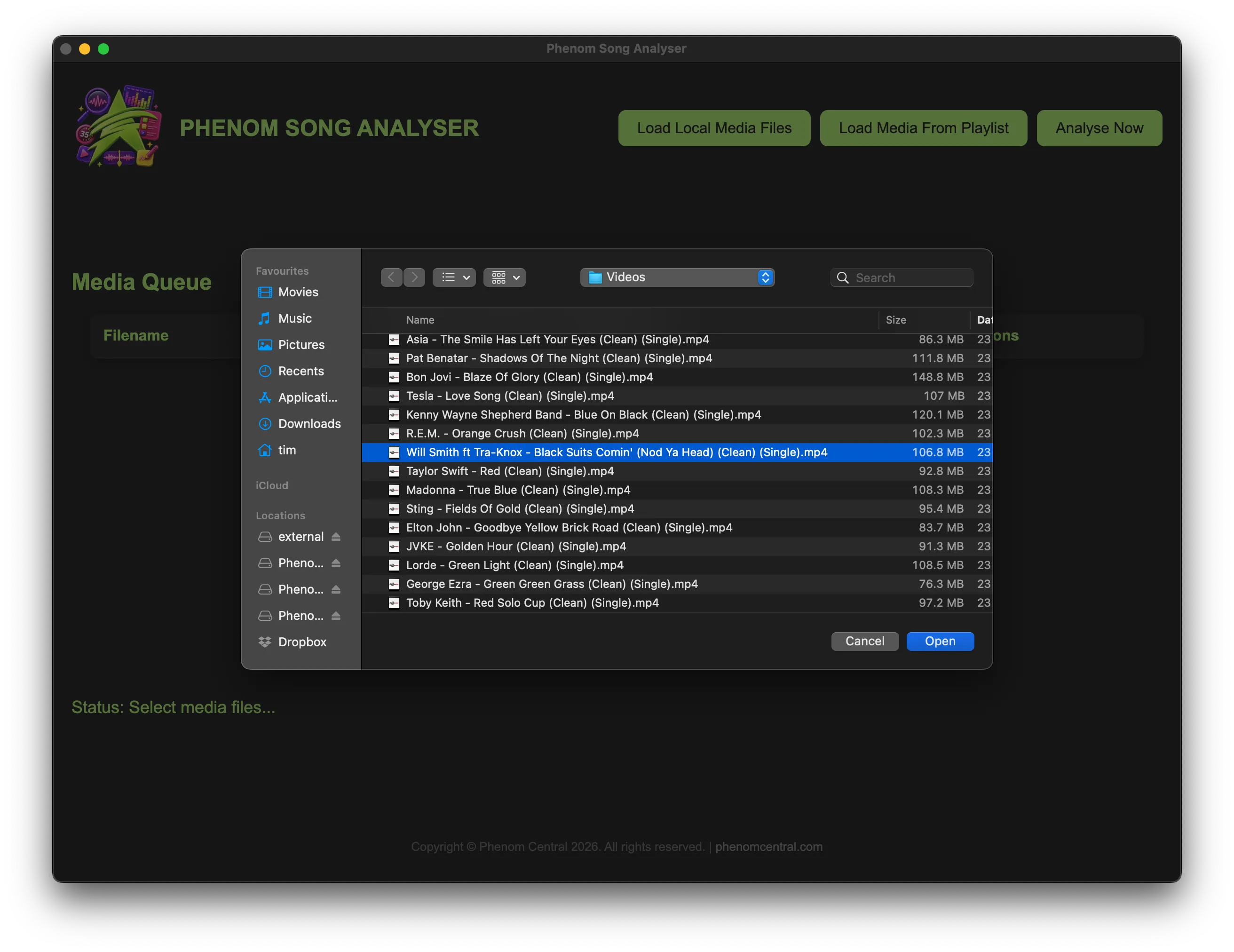
Pick local media files, or connect to Phenom Bingo and choose a playlist — every song loads in one click.
Hit "Analyse Now" and the app scans every song, scoring every possible 35-second window. A few seconds per track.
Audition the suggested start times, pick the best, and write it straight back to your playlist.
The app extracts the audio from any video or audio file and scans every possible 35-second window across the whole track, scoring each by its audio energy. In plain English: it finds the loudest, most intense, most crowd-pleasing section of every song — automatically, and the same way every time.
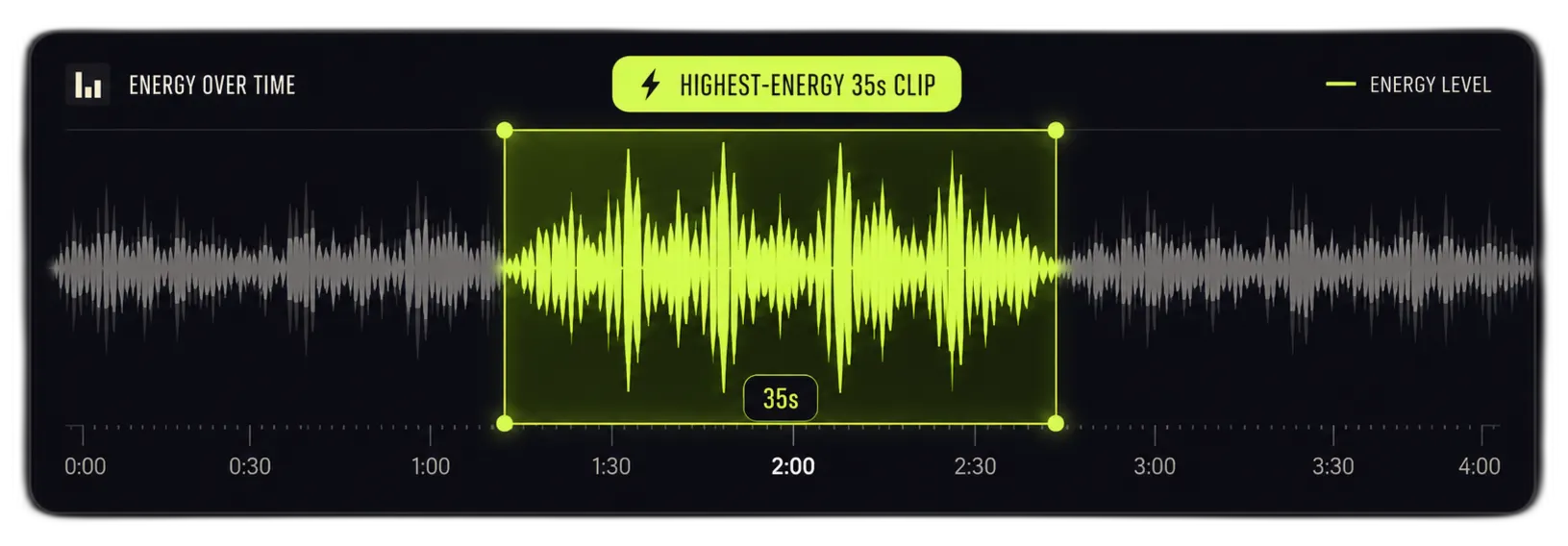
A repetition bonus rewards any section whose pattern returns later in the song — and in most tracks, that's the chorus. So instead of opening on a quiet intro or a bridge, the app naturally gravitates to the part players actually recognise: the hook they can name in seconds.

A repetition bonus rewards any section whose pattern returns later in the song — and in most tracks, that's the chorus. So instead of opening on a quiet intro or a bridge, the app naturally gravitates to the part players actually recognise: the hook they can name in seconds.
Rather than committing to a single answer, the app returns up to three start times for every song — each at least 60 seconds apart, so they're genuinely different parts of the track (some songs yield one or two). You stay in control: preview each and make the final call.
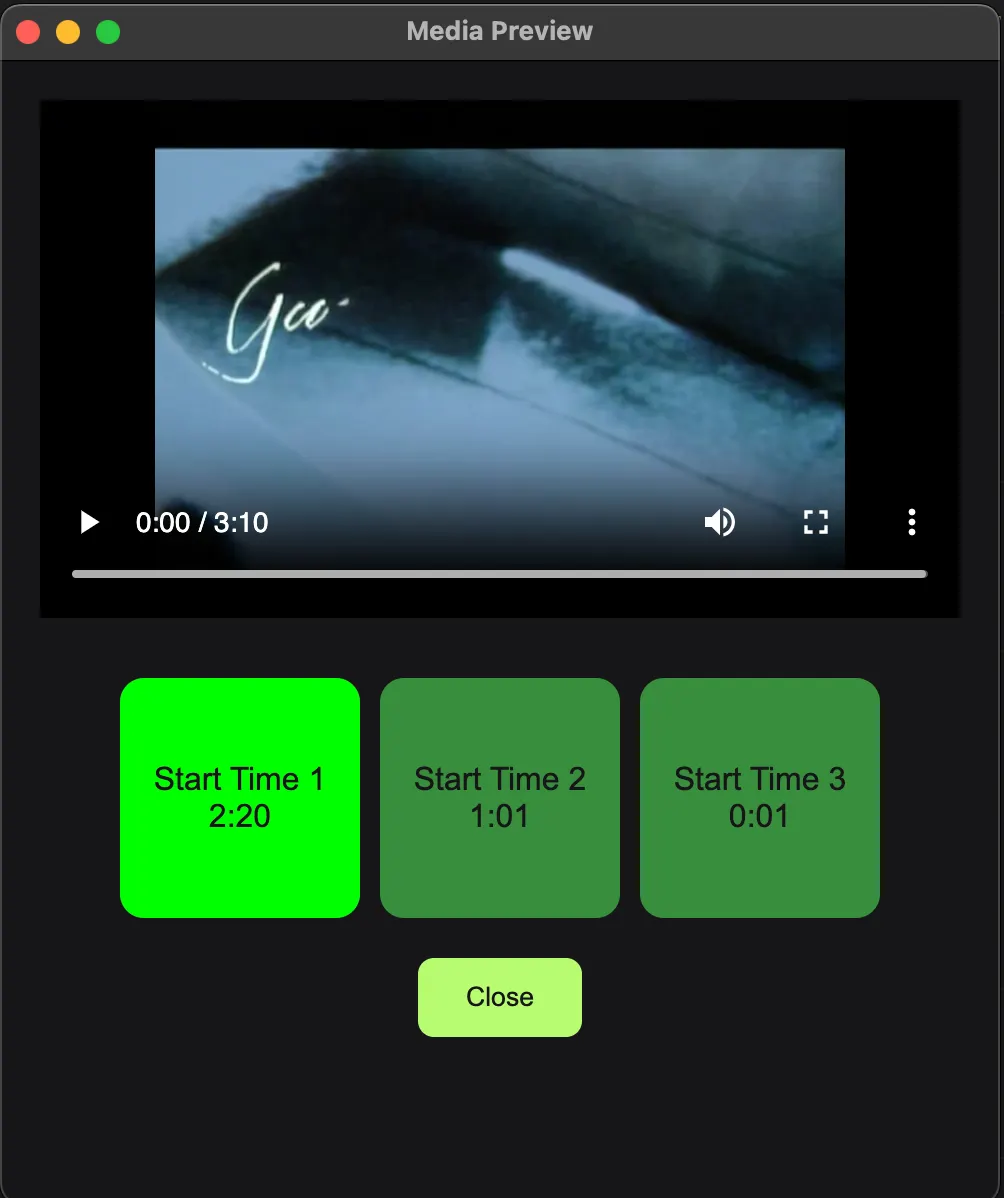
Click Preview beside any finished song to open a dedicated window with a button for each suggestion. Tap one and the player jumps straight to that timestamp and plays. Colours tell you where you are at a glance — green for selected, red while it's playing — so you can compare them in moments.
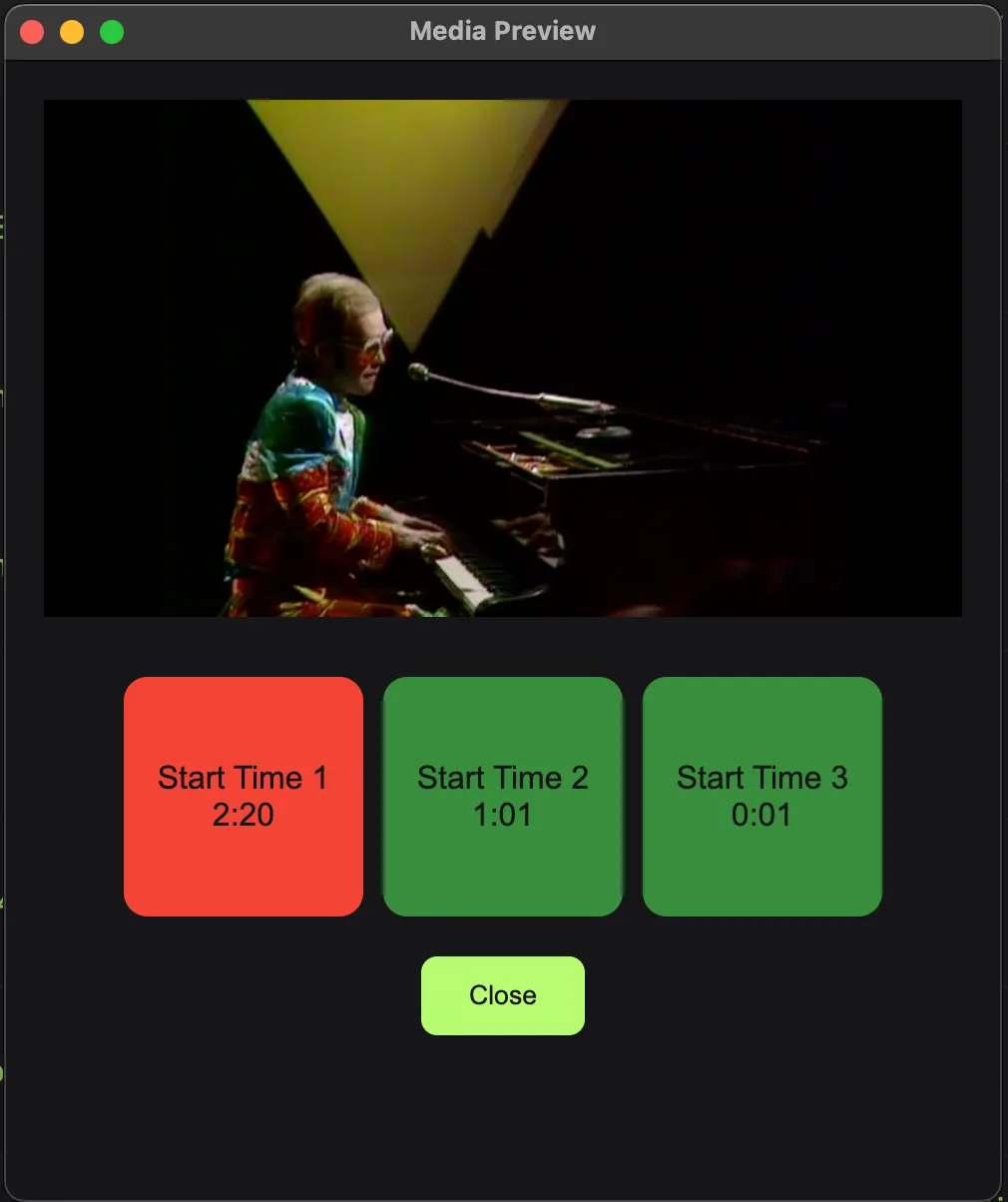
Click Preview beside any finished song to open a dedicated window with a button for each suggestion. Tap one and the player jumps straight to that timestamp and plays. Colours tell you where you are at a glance — green for selected, red while it's playing — so you can compare them in moments.
Connect to an installed copy of Phenom Bingo on the same machine and the app reads its database directly — every playlist by name, every song loaded in a click. Pick the right start time and "Update Playlist" writes it straight back, so the song starts at exactly the right moment in your next game. A tick appears beside every song that's been written back. No import, no export, no separate step.
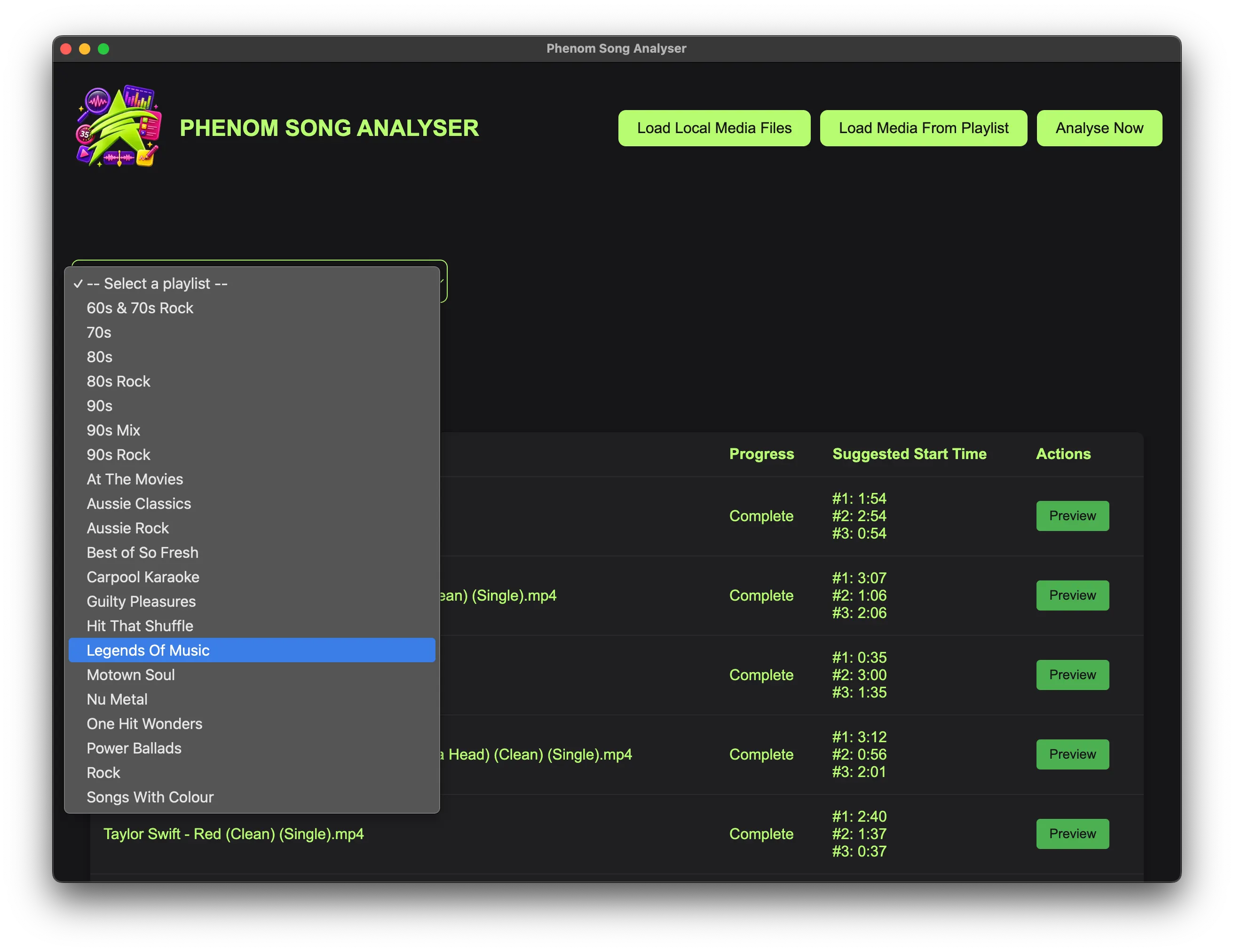
Add songs individually or load an entire playlist at once, then hit Analyse Now to process the whole queue top to bottom with live per-song progress. There's no limit to queue size — point it at your biggest library and walk away.
Add songs individually or load an entire playlist at once, then hit Analyse Now to process the whole queue top to bottom with live per-song progress. There's no limit to queue size — point it at your biggest library and walk away.
Two input modes: load local files (MP4 of MP3) or pull straight from Phenom Bingo. Because it analyses the actual audio, it needs the real media files on your computer — it can't read streaming or Spotify links. FFmpeg is bundled in, so there's nothing to install, and analysis, preview and write-back all run locally, no internet needed. Native on macOS and Windows.
Every download starts with a free trial — 10 full song analyses, no signup, no credit card, no time limit. Preview and write-back work normally, so you can run the entire workflow on your own songs before paying a cent. The remaining count sits in the app header. The trial is tracked per device on our license server, so it needs an internet connection.

Every download starts with a free trial — 10 full song analyses, no signup, no credit card, no time limit. Preview and write-back work normally, so you can run the entire workflow on your own songs before paying a cent. The remaining count sits in the app header. The trial is tracked per device on our license server, so it needs an internet connection.
| Doing it manually | Phenom Song Analyser |
|---|---|
| Listen to each song individually | Batch-process an entire playlist at once |
| Subjective — depends on your ear that day | Objective, consistent algorithm every time |
| Easily 5+ minutes per song | Seconds per song |
| No memory — redo it every time | Written to the playlist, remembered for good |
| Easy to miss the chorus on an unfamiliar song | Chorus detection built into the scoring |
| One guess per song | Up to three ranked options with instant preview |
ONE-TIME PURCHASE
AUD
One-time purchase — about US$27. No subscription. One license covers Mac & Windows.
Free trial: 10 analyses, no signup
Unlimited songs & playlists
Up to three ranked start times per song
Direct Phenom Bingo write-back
Works fully offline
Licensed to your email — Mac & Windows
Register your key any time at
phenomcentral.com/psa-register
Download the app, then unlock it with your license key.
No. Local Files mode analyses any media on your computer, so it's useful to any host managing a music library. But if you do run Phenom Bingo, the integration is the magic — it reads your playlists and writes the chosen start times straight back, no manual steps.
Analyse your whole library in minutes — and give every song its best 35 seconds.