
How to host a music bingo night: a step-by-step guide
How to host a music bingo night: a step-by-step guide
Nov 04, 2026
To host a music bingo night, you build a playlist of well-known songs, give every player a numbered card of song titles, and play the songs one by one while players mark them off. The first player to complete the winning pattern calls bingo, you check their card, and they win. With music bingo software such as Phenom Bingo, all of this runs from one laptop.
This guide takes you from an empty laptop to a full room.
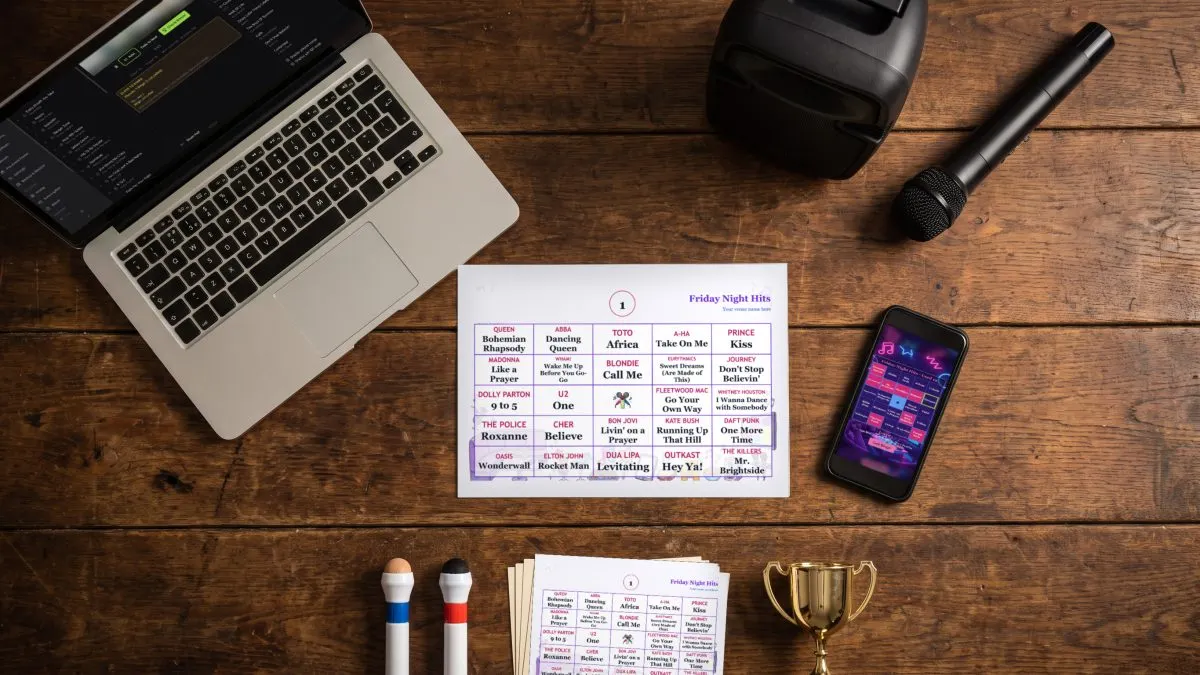
What you need
- A Mac or Windows laptop running Phenom Bingo. Help: Does Phenom Bingo work on Mac and Windows?
- Music videos or audio files for your playlist.
- A speaker or the venue's sound system.
- A TV or projector, if the venue has one. It shows the videos, the join screen and the winning cards, but you can run a night without one. Help: How do players join a Phenom Bingo game without a QR code?
- Cards, printed on paper, on players' phones, or both.
- A microphone and prizes.
Before the night
- Import your music. Set your media folder, then add your music videos to the Media Library. Help: How do I import music videos into Phenom Bingo?
- Build a playlist. Choose songs most of your crowd will recognise within a few seconds. Help: How do I build a music bingo playlist in Phenom Bingo?
- Set start times. Start each song on its chorus or hook rather than a long intro, so players recognise it quickly. Help: How do I make songs start at the chorus in Phenom Bingo?
- Generate your cards. Choose 4×4 for a shorter playlist or 5×5 for a longer one. Help: How many songs do I need for a music bingo playlist?
- Print paper cards if you need them, and pick a card theme to suit the night. Help: How do I make and print music bingo cards in Phenom Bingo?
- Plan your rounds. Decide how many games you'll run and which pattern each one uses.
On the night
- Arrive early and test the sound at the volume you'll use when the room is full.
- Open the game window on the TV or projector, if you have one. Help: How do I show the Phenom Bingo game on a TV or projector?
- Load the playlist and start the digital game so phone players can join while people arrive. Hand out paper cards at the same time. Help: How do I run a digital music bingo game in Phenom Bingo?
- Explain the rules in under a minute: what the pattern is, how to mark songs, and how to call bingo.
- Set the pattern and start the game. Help: What does each winning pattern mean in Phenom Bingo?
- Check every win by card number before handing over a prize. Help: How do I check a winning bingo card in Phenom Bingo?
A simple run sheet for a pub night
Tips from the host's side of the room
- Watch Close to bingo. It shows you which cards are one song away and which song they need, so you know when to build the tension. Help: What does the Close to bingo panel show in Phenom Bingo?
- Learn the keyboard shortcuts so you can keep talking while the game moves. Help: What are the keyboard shortcuts in Phenom Bingo?
- Keep the banter between songs short. The music is the show.
- Have a plan for disputed calls. The card number check settles them in seconds.
Frequently asked questions
How long does a music bingo night take? Most nights run three or four games with a break. How long each game takes depends on the pattern and how much of each song you play.
Do I need the internet at the venue? A paper-only night runs without internet. Phone players need the host laptop to be online. Help: Does Phenom Bingo need the internet at the venue?
Do players need an app? No. Phone players join in their web browser.
Can I practise first? Yes. Phenom Bingo's free Demo Night playlist comes with ready-made cards, so you can run a full practice game without any music of your own. Help: How can I try Phenom Bingo without my own music videos?
Ready to host? Start a 14-day free trial at phenomcentral.com/phenom-bingo and run Demo Night tonight.