
Music bingo for aged care and seniors' groups
Music bingo for aged care and seniors' groups
Nov 06, 2026
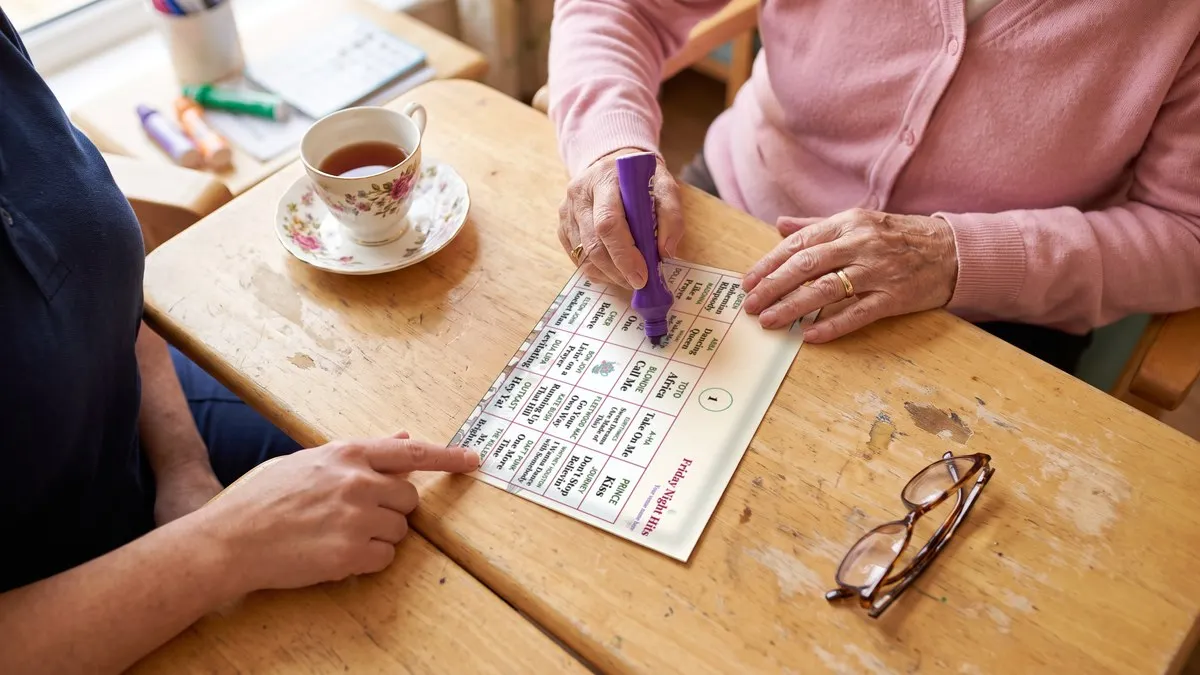
Music bingo is a natural fit for aged care homes, retirement villages and seniors' groups. Familiar songs spark memories and conversation, the game is easy to follow, and nobody needs a phone. Use songs from the decades your residents grew up with, large and clear paper cards, an unhurried pace, and plenty of helpers.
Why it works for older groups
- Familiar music gets people talking. Songs from someone's younger years often bring back stories, and a sing-along.
- It's social without pressure. Players only need to recognise a song, not answer questions.
- Everyone can join in, including people who don't use smartphones.
Choose the right songs
- Match the decades. For most groups today that means the 1950s, 60s and 70s, with a few later favourites. Ask residents and staff what they'd like to hear.
- Start each song on its best-known part, so it's recognised quickly. Help: How do I make songs start at the chorus in Phenom Bingo?
- Show the title on screen. If the facility has a TV, displaying the artist and title helps anyone who didn't catch the song. Help: How do I show the Phenom Bingo game on a TV or projector?
Make the cards easy to read
- Use 4×4 cards. Sixteen squares means bigger squares and bigger text than 5×5, and quicker wins. Help: What grid size should I use for music bingo cards?
- Choose a high-contrast card theme, with dark text on a light background. Help: How do I install a card theme from the Card Themes Library?
- Show title only if the cards feel crowded. Card Settings lets you choose what each square shows. Help: How do I make and print music bingo cards in Phenom Bingo?
- Use daubers or thick markers, which are easier to grip than pens.
If you print cards with Music Bingo Card Generator, its Max font size setting makes every square's text as large as it can be while still fitting.
Help: How do I make the text bigger on my bingo cards?
Set an unhurried pace
- Play a practice round to show how it works.
- Let songs run longer before moving on, so everyone has time to find them.
- Pause whenever you need to. Press P to pause and P again to play. Help: What are the keyboard shortcuts in Phenom Bingo?
- Use quick patterns such as one line or four corners, and keep sessions short.
- Go to the player. With Phenom Bingo's mobile remote on your phone, you can check a winning card where the resident is sitting. Help: How do I control Phenom Bingo from my phone?
Helpers make the difference
Ask staff, volunteers or family to sit with residents who need help spotting songs or marking cards. One helper for every few players keeps everyone involved.
Run it without internet
Many facilities have patchy Wi-Fi. A paper game doesn't need the internet: the music, the cards, the TV and winner checks all work offline.
Help: Does Phenom Bingo need the internet at the venue?
Playing recorded music to a group usually needs a public performance licence, and the rules depend on your country. Check with the facility, which may already hold one.
Frequently asked questions
Do residents need phones to play? No. Paper cards work best for most aged care groups.
How long should a session be? Shorter than a pub night. Two or three quick games, with a break for morning or afternoon tea, suits most groups.
Can I check a card without the player walking to the front? Yes. Type the card number into Check Winner. Help: How do I check a winning bingo card in Phenom Bingo?
What if a resident can't hear well? Seat them near the speaker, show song titles on the TV, and have a helper beside them.
Try it with your group using Phenom Bingo's free Demo Night at phenomcentral.com/phenom-bingo.